
02 · Arrival
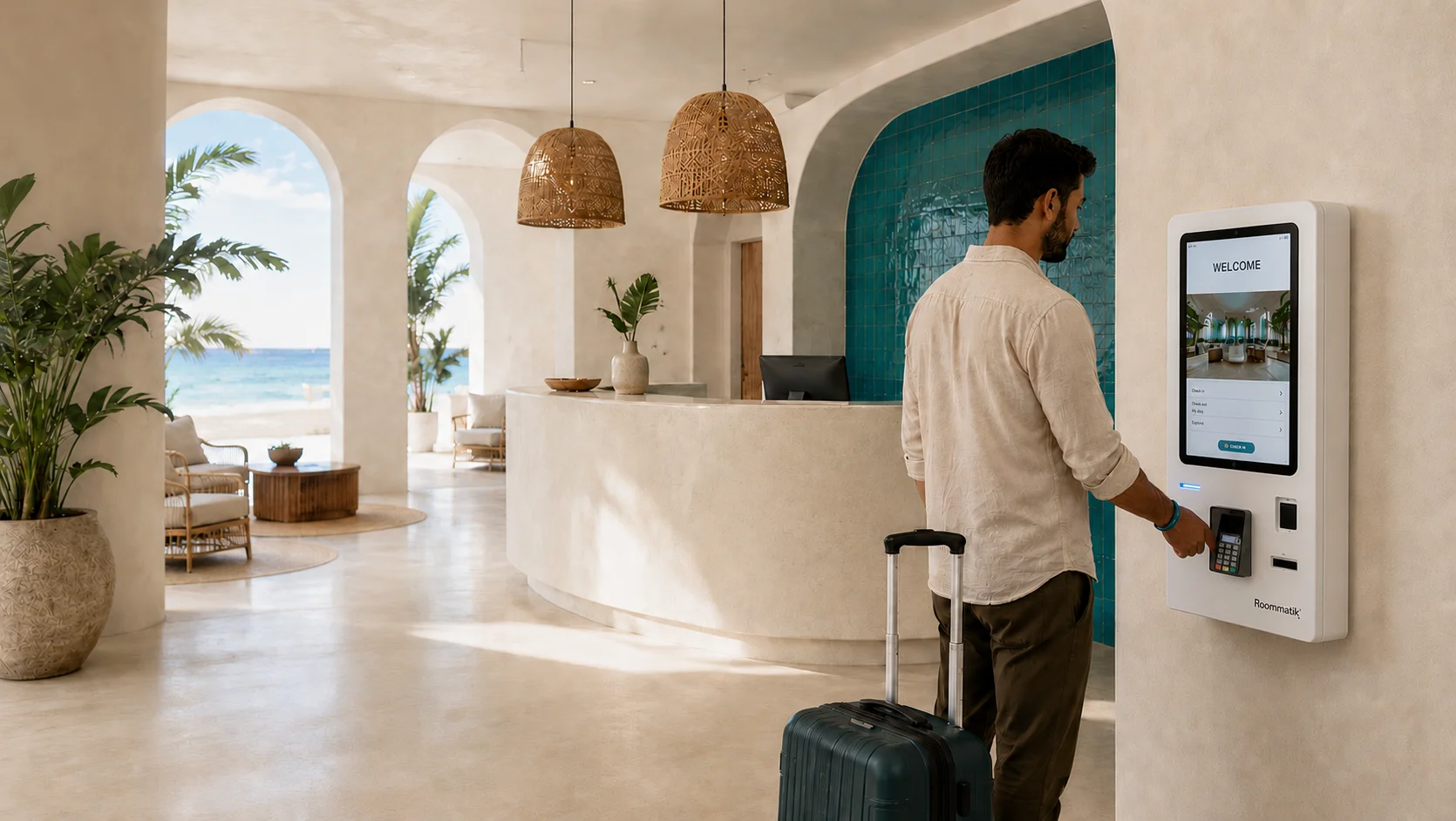
Check-in kiosks: guests arrive, check in and collect their key at any hour
No waiting, at any hour, in the guest’s own language. Guests scan their ID, sign, pay and collect their key at the kiosk, even when there is nobody at the desk. Kiosks designed and built by Roommatik, connected to your management system, your locks and your payments.
We will show you the whole arrival, tailored to your operation. No obligation.
Arrivals should not depend on someone being at the desk
When several arrivals come at once, a single desk cannot keep up. The wait grows, and the guest’s first impression of the hotel is formed in that wait.
Outside reception hours, late arrivals go unattended or depend on someone being available at any time of night.
And every manual registration repeats the same work —ID, registration form, payment, key— tying up your team in a task guests can handle themselves.
With a check-in kiosk, guests complete their arrival on their own and your team gets time back to look after them.
What your front desk gains with self-service
Arrivals and departures without waiting
Guests check themselves in without waiting for someone to be free. When several arrivals coincide, with several kiosks, they are served at the same time without overwhelming the desk.
Open round the clock
Late arrivals and early departures are handled at any hour, with no need to keep staff at reception all night.
A team free to look after guests
Your team stops repeating manual registration and devotes itself to the guest: making recommendations, resolving issues and looking after the experience.
Everything at one point
ID scan, signature on the guest registration form, card payment depending on the model, and key collection, all on the same unit.
Leaner operating costs
Size your reception to actual demand and reduce the cost per arrival without compromising service quality.
In each guest’s language
Guests choose their language on screen, so your team has nothing to translate.
How it works
From ID to key in three steps
Find the booking
The guest looks up their booking by QR code, surname or booking number, depending on how your kiosk is set up, and the kiosk finds it in your management system in real time.
Identify, sign and pay
They scan their ID, review their details, sign the guest registration form on screen and pay anything outstanding.
Collect the key
The kiosk dispenses the room key —card or conventional key— or sends the mobile key to the guest, depending on your access control.
All in one journey, with no trip to the front desk.
Collecting versus deciding
Collecting details is not the same as deciding the arrival
Online check-in gets the details ready before arrival. The kiosk does what can only be done with the guest standing in front of it: it checks the booking, the room and the payment, and hands over the key with everything checked.
Collect · before arrival
Details ready for arrival.
Decide · at the kiosk
- The booking and the datesConfirmed with your management system.
- The room statusRead from your management system at that moment.
- The paymentConfirmed by the payment terminal before going on.
With everything checked.
Guests who checked in online are recognised at the kiosk and go straight to their key, or to payment if anything is outstanding.
When something goes wrong
No guest is left without a check-in or charged twice
When everything goes well, every arrival looks the same. What protects your hotel is what happens when something does not go to plan.
The room is not ready yet
Depending on how the kiosk is set up for your hotel, the guest carries on knowing the room is being prepared, or the check-in is put on hold without charging anything, with a code to resume it later. Reception is notified.
The payment goes through but the arrival cannot be registered
The kiosk refunds the card charge and reception receives an alert with the room and the amount.
The payment is interrupted
The amount stays fixed and the transaction is not lost: the guest tries again and is not charged twice.
The key does not come out
The check-in remains valid and the screen tells the guest so, with the instruction to collect the key at reception, and the help button puts them in touch with your team. The kiosk never treats a key as issued unless it has actually come out.
There is an outstanding balance
If the guest asks for a second key, depending on your hotel’s settings, it is not issued until the balance is settled.
The guest walks away halfway through
After a period of inactivity, the session closes and the screen returns to the start with none of the previous guest’s details.
The reader does not respond
The kiosk says so and offers another way to find the booking, rather than waiting.
We will show you these cases in a demonstration tailored to your hotel.
Request a demoFour ranges, designed and built by Roommatik
From compact wall-mounted or countertop units to large format, there is a kiosk for every space and every arrival flow.
Compact, wall-mounted or countertop
They take up minimal space at reception. Depending on the model, they issue cards, dispense conventional keys or take card payments.
Mid-size, with cash when you need it
Depending on the model, proximity card or key, and payment by card or, as an option, in cash.
Complete, with cash and keys depending on the model
Depending on the model, they issue cards or dispense keys, and take payment by card or in cash.
Large portrait format
ID and QR reading, card payment, printer and card issuing, on the largest screen in the range.
A complete range of models. We help you choose the one that best fits your reception.
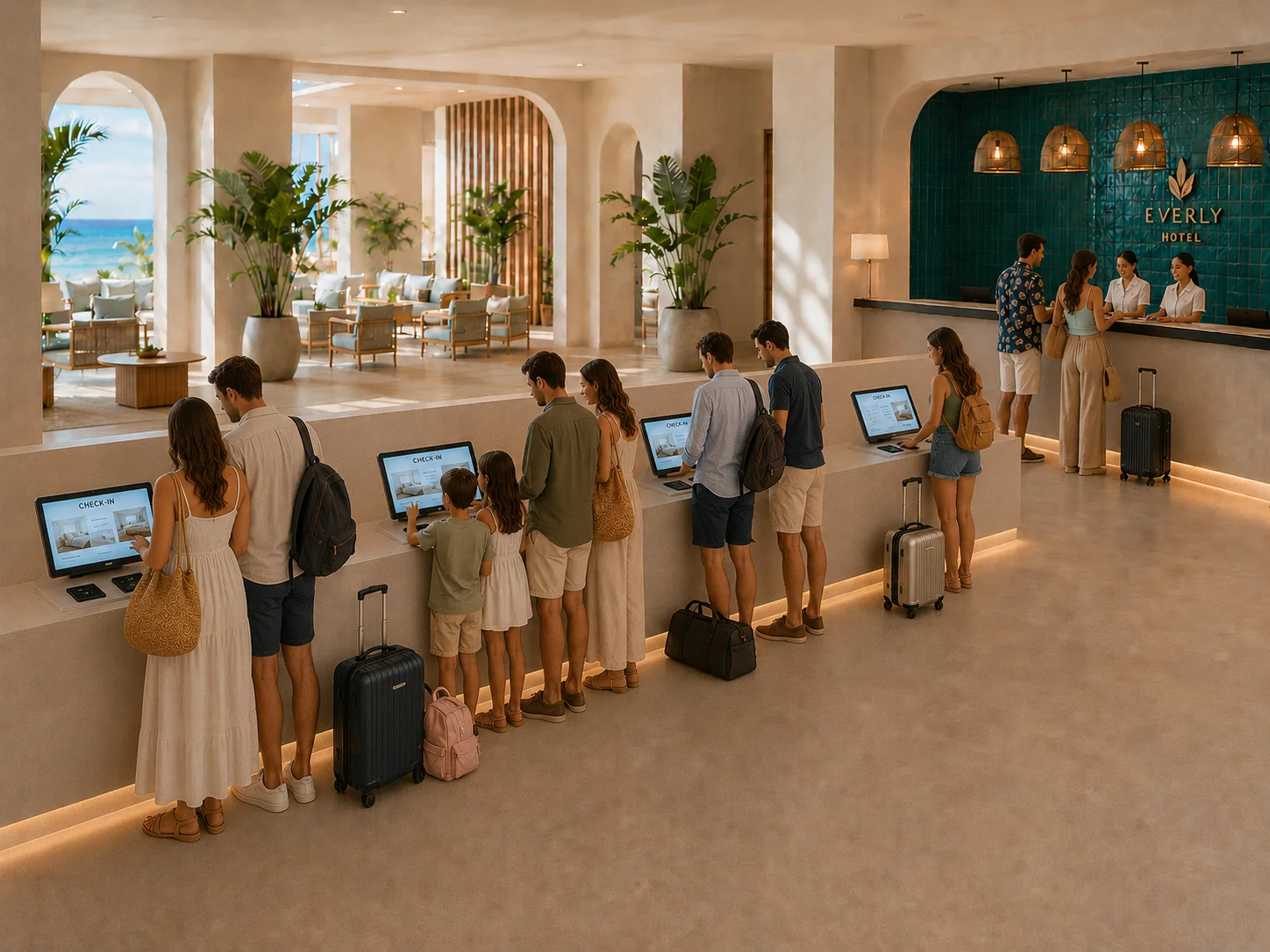
Arrivals at peak times, and departures in a moment
The key, from a separate dispenser
When many arrivals coincide, guests scan their documents, sign and pay at one or more registration points, then collect their key from a separate dispenser using the QR code they received. This way you serve more guests at the same time. Discover the key dispenser →
And the same at check-out
Guests check out at the kiosk, pay anything outstanding and leave.
Connected to what you already have
The kiosk does not make you change systems: it reads the booking from your management system, takes payment through your payment solution and activates the key on your lock. Are yours compatible? We will check with you.
Frequently asked questions
What people usually ask us before getting started
What can the guest do at the kiosk?
The full check-in on their own: find their booking, scan their ID, review their details, sign the guest registration form, pay and collect their room key. They can also check out.
How does it deliver the key?
Depending on the model and your access control: cards, conventional keys or a mobile key sent to the guest. We help you choose the kiosk that fits your lock.
What if the guest needs help?
A help button puts them in touch with your team by phone or WhatsApp. A video call with reception is optional.
Can my team change the kiosk’s settings?
From your console, your team sees the status of your kiosks, receives their alerts and edits the texts and the home screen. Applying your brand identity, switching features on or off, updating the software or going back to an earlier configuration is done by Roommatik at your request.
Can it sell rooms without a booking or offer extras?
Yes, as options, if your management system allows availability lookups and booking creation. We will confirm it in the demonstration.
For your IT department
Which management system does it work with?
It works with your PMS. We will check with you: before we start, we review the compatibility of your management system, your locks and your payment gateway.
Which payment methods does it accept?
Card, on the kiosk’s payment terminal. On models that support it, cash as well, as an option. Charging in the currency of the guest’s card is also optional.
Which languages does it support?
In the languages you choose for your hotel. Guests choose theirs and can change it at any point. We will confirm the list in the demonstration.
What happens if the connection drops?
The kiosk shows it on screen, and your team receives the alert as soon as the connection is back.
Can Roommatik help remotely?
Yes. Our team can see the kiosk screen and help the guest remotely, and the guest sees a notice while this happens. ID documents, the camera and the signature are never shown remotely. From your console, you can see the access log: date, unit and duration of every connection.
What about guest registration for the authorities?
The kiosk reads the ID and collects the signed registration form for every guest; that step cannot be skipped. We confirm how it is filed in your country.
Part of the whole journey
The whole guest journey. One partner.
The kiosk covers arrival. Before and after it, the same point of contact.
Online check-in
Guests send their details and signature from their phone before arrival; at the kiosk, only what is outstanding remains.
KeyLink
The room key, sent as a link before arrival. No app to download.
Check-in kiosks
ID reading, signature, payment and key handover in one place, day or night.
Key dispensers
Guests who checked in online just collect their key, without stopping at the desk.
Let us look at your hotel together
We will show you the kiosk and the whole journey in a demonstration tailored to your hotel, then prepare a quote. No commitment.
Prefer to talk now? Call us on +34 986 262 230